
DEXPI viewer and validator, free in your browser.
Open a DEXPI file. See whether it holds up. Drop in a DEXPI file — from our Converter, or exported from your P&ID design tool. The sheet is drawn from the model, a graph view shows how it connects, and the file is checked against the DEXPI validation rules — errors, warnings and profile checks. It all runs in your browser: nothing is uploaded. It reads DEXPI 2.0 files; DEXPI 1.3 and 1.4 (Proteus XML) files are not read by the free viewer.
Let anyone who receives a DEXPI file see what is in it and whether it is complete — before it is loaded into a digital twin, a HAZOP tool or an asset register.
Run the check. See what it finds.
An illustrative DEXPI sheet with three problems planted in it. Press Validate: the rules run in turn, each finding names its object, and clicking a finding shows where it is on the sheet.
- A few of the rules shown; the real check runs them all
- Errors and warnings kept apart
- Illustrative sheet and tags — not a client drawing
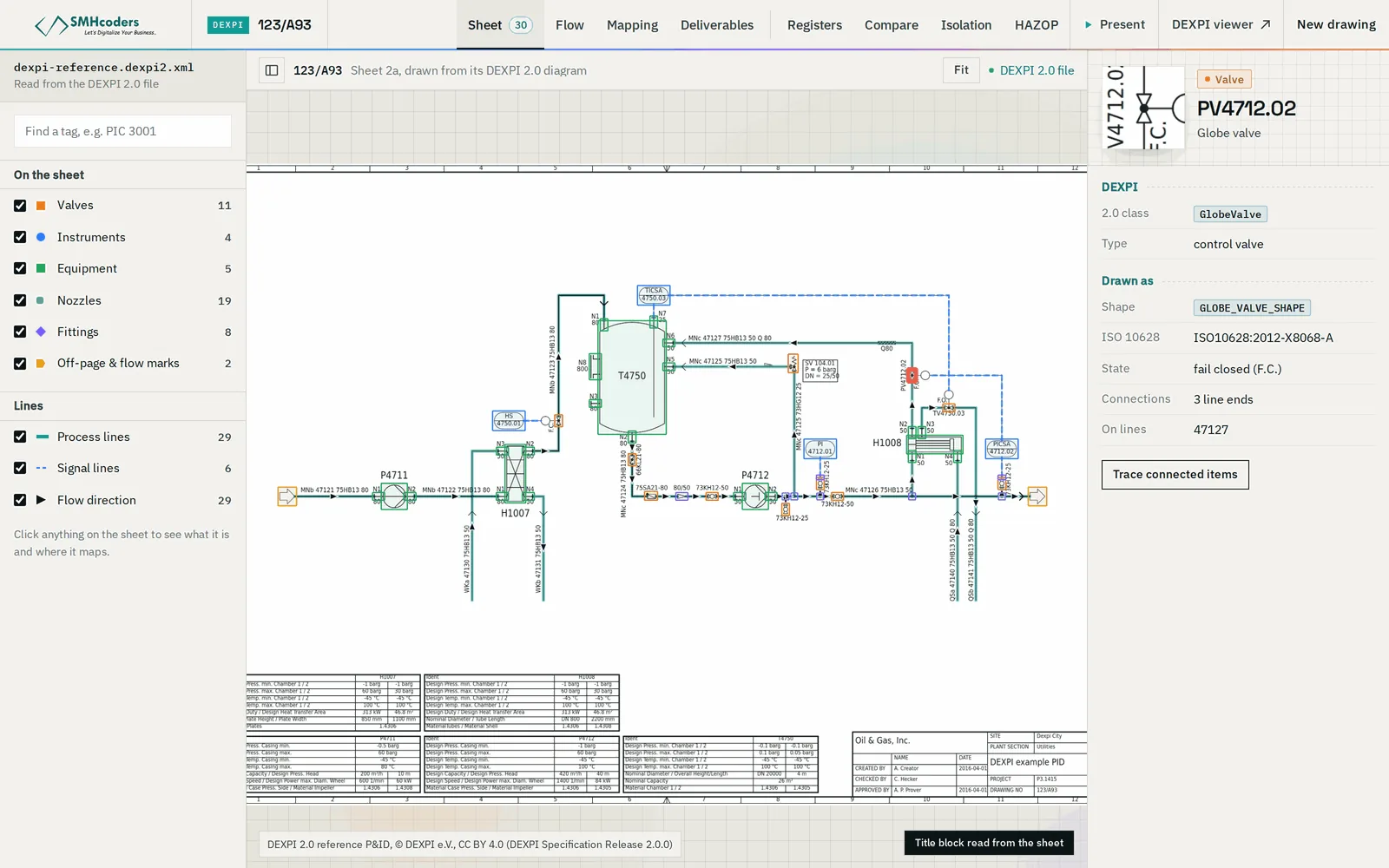
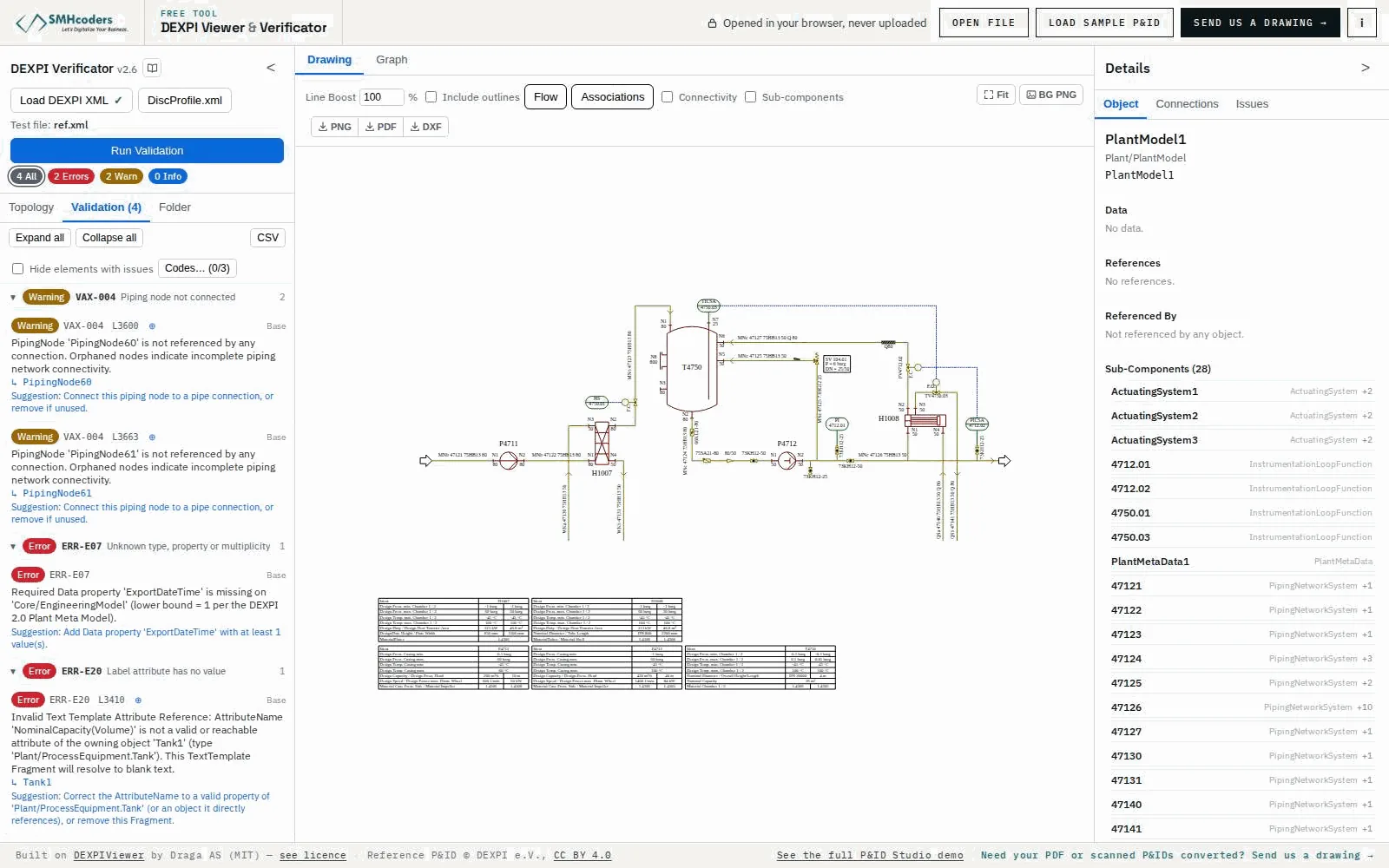
Equipment, piping, valves and instruments rendered from the DEXPI file itself — what the data says, not a picture of the original.
The components and their connections as a graph, so a missing or doubled connection is easy to see.
Errors, warnings and profile checks on the file's structure, identification, connectivity and attributes, run against the standard.
Every finding names its object and highlights it on the sheet, so it can be fixed at the source.
The file is read and checked locally in the browser. Nothing is uploaded, so there is nothing for us to keep.
The viewer and the verificator cost nothing — and they show what the per-sheet tools would work from.
All of it on your machine
No upload: the browser does the work.
Drop a DEXPI file into the page. It is read locally.
The sheet is rendered from the model, with the graph view beside it.
The validation rules run against the model, in the browser.
Each finding highlights its object; correct it in the design tool or in the Converter's review.
What it does not do.
Machine-extracted output is verified against the issued drawing. Beyond that, what to know before you rely on it:
- L1
It checks the model, not the engineering: a file can pass every rule and still describe the wrong design.
- L2
The rules cover what DEXPI defines. Company conventions — tag formats, line-numbering rules, your design standards — are not checked here; that is ReviewMate's job.
- L3
An exported file is only as complete as the design tool's export. Missing attributes show up as findings.
- L4
DEXPI 2.0 only. DEXPI 1.3 and 1.4 files (Proteus XML) are not read by the free viewer.