
Line list and instrument index, read from the P&ID.
The lists everyone retypes, read from the drawing. Line lists, valve lists and instrument indexes are usually rebuilt by hand from the P&ID — and drift away from it. Registers reads them straight from the DEXPI model: every line, valve, instrument, piece of equipment and off-page connector, in one Excel workbook, each row linked to where it sits on the sheet.
Produce the registers a project or a plant needs from the drawing itself, so they agree with it — and can be produced again whenever the drawing changes.
Click a row. Find it on the sheet.
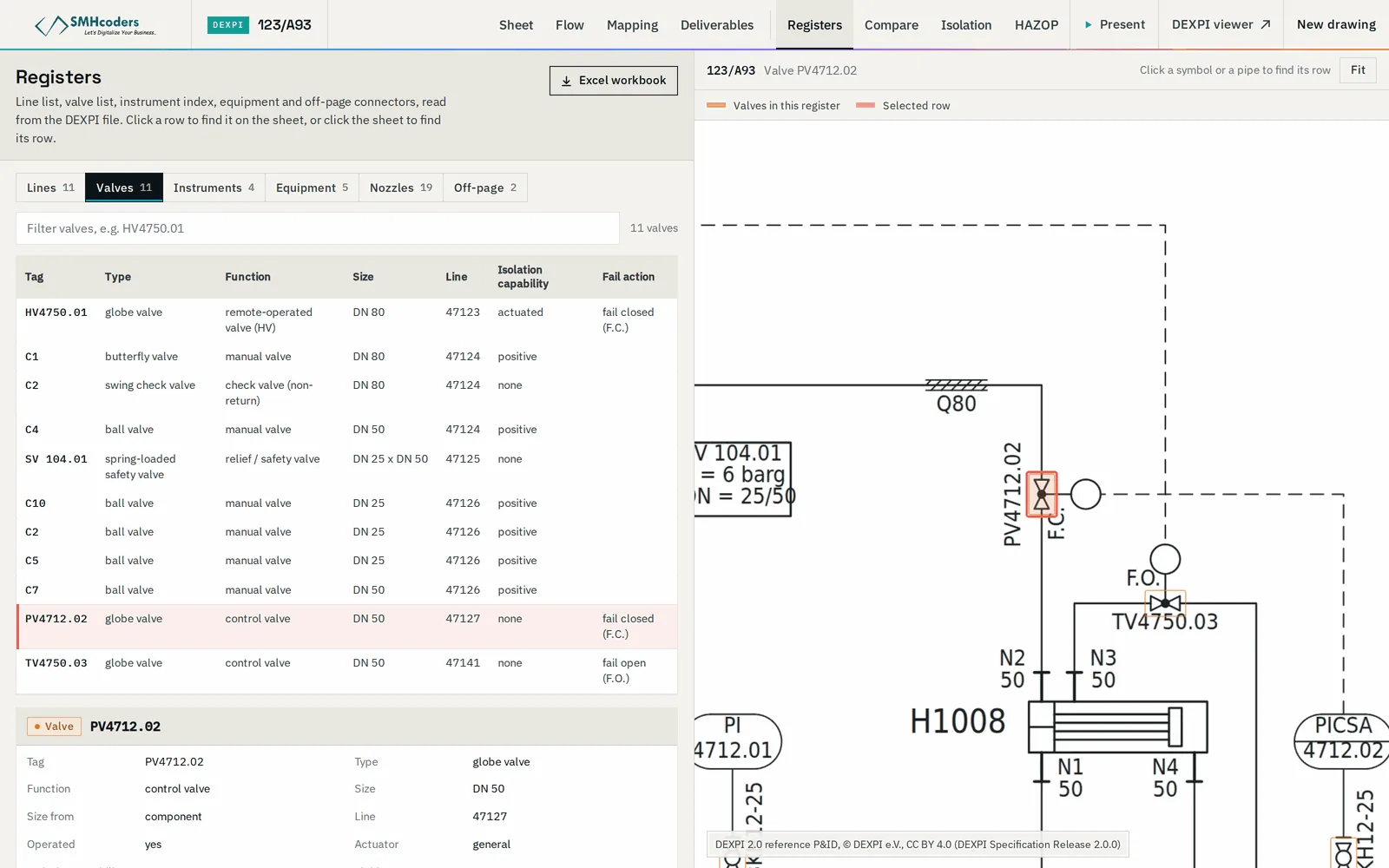
An illustrative sheet and its five registers. Pick a register and click any row — the line, valve or instrument lights up on the drawing. Click something on the drawing and its row is found for you.
- Read from the model, not typed
- Rows and drawing linked both ways
- Export the open register as CSV — built in your browser
Line number, nominal size, fluid code and piping class, with the equipment or connector at each end.
Every valve with its type, size and the line it sits on — block, control, check and relief valves alike.
Instrument tags with their function, loop and service; field instruments and control-system functions kept apart.
Tag, type and description, with the lines connected to each item.
Where each line leaves the sheet and where it continues — the cross-sheet map that is hardest to keep by hand.
In the Studio, clicking a row highlights its object on the sheet, so any value can be checked against the drawing.
From the model to the workbook
The registers are a view of the model, so when the drawing changes they are rebuilt, not edited.
Convert the drawing, or upload DEXPI from your design tool.
Lines, valves, instruments, equipment and connectors read from the model.
Review against the sheet — click a row to see its object.
One Excel workbook, a sheet per register.
What it does not do.
Machine-extracted output is verified against the issued drawing. Beyond that, what to know before you rely on it:
- L1
A register holds what the model holds. An attribute that is not on the drawing — a pressure rating, an instrument range — is left blank, not guessed.
- L2
Machine-extracted from converted drawings: verify against the issued drawing before a register is issued.
- L3
Columns follow a standard set. Matching your company template is a configuration job — ask us.