
P&ID revision comparison that finds every change.
What changed between revisions — all of it. Revision clouds show what the drafter chose to mark. Revision Compare diffs the two DEXPI models instead: every component added, removed or changed, every line size or piping class change, every connection rewired — grouped by line and highlighted on the sheet.
Make revision review complete and quick: nothing slips through because nobody clouded it, and nobody overlays two PDFs by eye.
Rev B, Rev C — or the difference.
Switch between two revisions of an illustrative sheet, then show the comparison: added in green, removed in red, changed in amber, rewired in blue. Click a change in the list to find it on the sheet.
- Grouped by line, as an engineer reads a revision
- A moved instrument is reported as rewired
- Illustrative revisions — not a client drawing
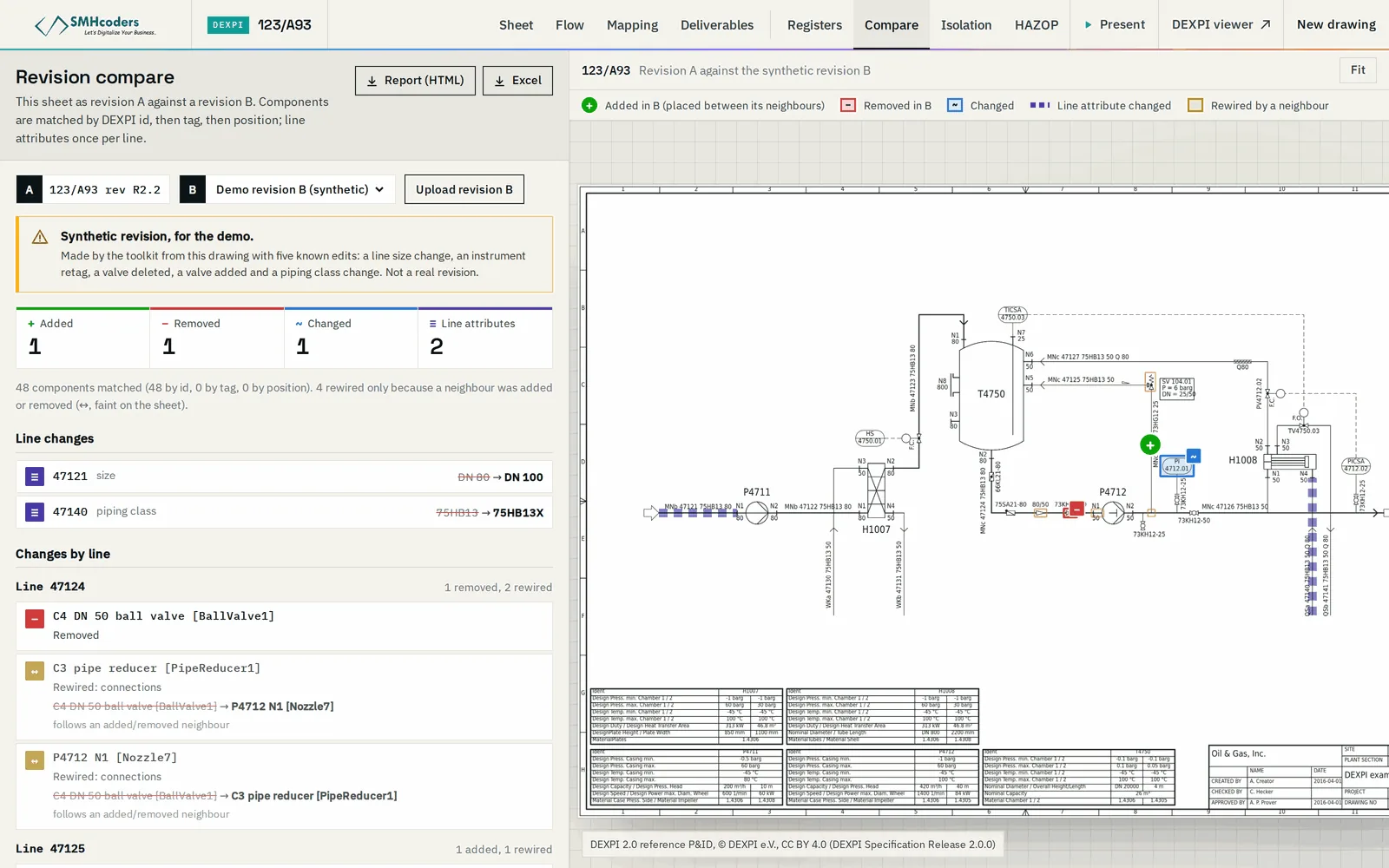
Components present in one revision and not the other, found by comparing the models rather than the pixels.
The same component with different data: a valve's size or type, an instrument's function, an equipment description.
Nominal diameter and piping class changes along each line, segment by segment.
A component that now connects somewhere else is reported as moved — not as one deletion and one addition.
Changes listed under the line they affect, the way a process or piping engineer reads a revision.
Each change highlighted on the sheet, with the list and the drawing linked.
Model against model, not pixel against pixel
A nudged tag or a re-routed line on paper is not a change. A changed size is — even when nobody clouded it.
Both sheets converted, or both exported as DEXPI.
Components, attributes and connections compared, model to model.
Changes collected under the line they affect.
Walk the list; each change lights up on the sheet.
What it does not do.
Machine-extracted output is verified against the issued drawing. Beyond that, what to know before you rely on it:
- L1
Both revisions have to be models. Scanned revisions are converted first, and a conversion difference can look like a change — so a reviewer confirms each one.
- L2
It reports what changed, not whether the change is right. That is the reviewer's call.
- L3
Machine-extracted: verify against the issued drawings.
Every review comment, checked against the change.
Revision Compare also runs inside ReviewMate, our engineering document review platform. When a contractor resubmits, each open comment is checked against the comparison: did the drawing actually change where the comment asked? A comment is closed on evidence on the sheet, not on a reply.